

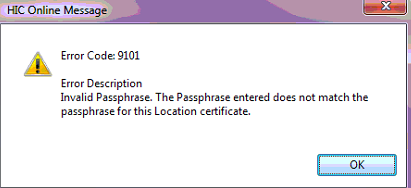
Error 9101 when doing a patient eligibility check (OPV or OEC)
This error occurs when SimDay contacts the Eclipse server to do an OEC (Online Eligibility Check) or OPV (Online Patient Verification). The problem could be that the HIC online password has been deleted.
To check the password settings click Maintenance and System Param from the main menu on the left side of the screen.
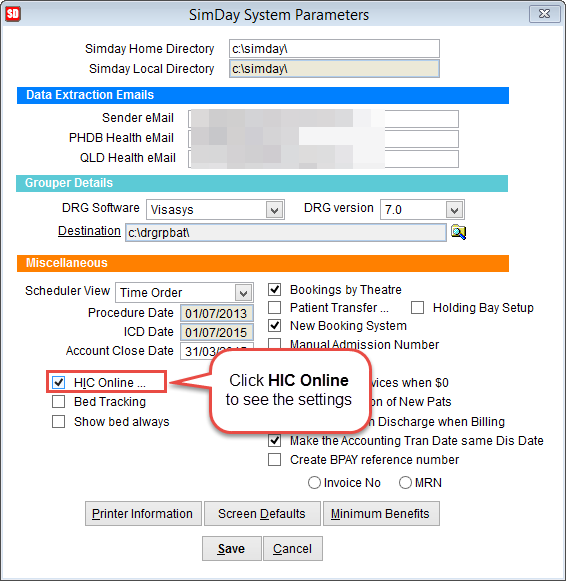
The SimDay System Parameters screen will open. Click HIC online on the left side of the screen.
Check the HCL Password field is populated. If not then add the HCL password and click OK to save changes or Cancel to discard changes and return to the previous screen.
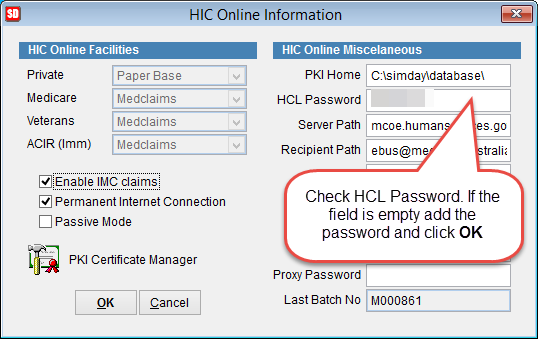
By default the password will be the ADV number assigned to the hospital. Please note that the password is case sensitive.
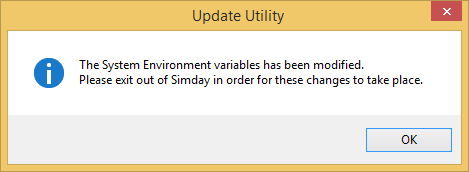
If the existing password is modified the following screen will appear requiring SimDay to be restarted for the changes to be made.
To test if it is working correctly do an OPV or OEC on a patient record.