

Automatic updates
SimDay will do an update each day when it is started for the first time.
It is also possible to backup files manually at any time. Click here for How to do a manual update.
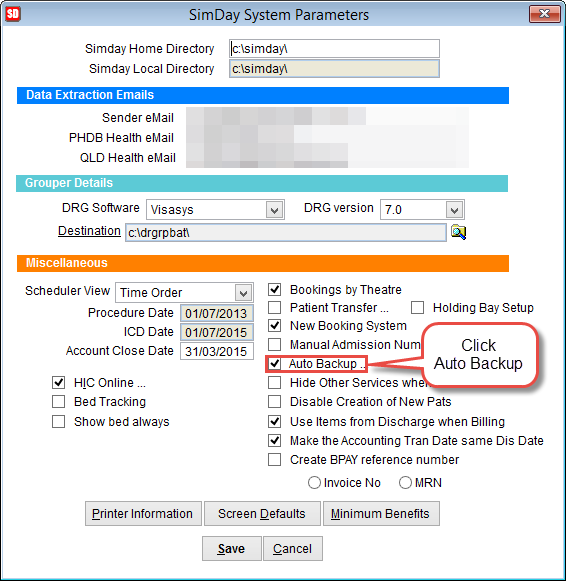
To check or set the automatic update click Maintenance and System Param from the main menu.
Double click Auto Backup on the right side of the screen to open the Backup Setup screen.
Select the directory to store the backup files either by clicking on the folder icon on the right side of the screen or double click on Destination and enter the folder path.
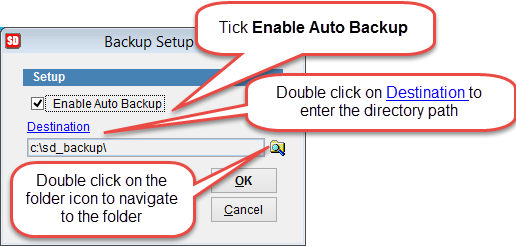
Double click on Destination to enter the backup directory. Text underlined in blue can be double clicked to modify the text.
If Enable Auto Backup is selected the system will check if the database has been backed up when SimDay is opened. If there isn’t a backup for the current date SimDay will backup the data automatically.