How to Refresh the Health Fund Participants List
The Health Fund Participants list is retrieved from Medicare and it shows the services each Health Fund provides on line. SimDay and eClaims uses this list to allow or block functionality online.
The best time to refresh the list would be first thing in the morning when no one else is performing any functions such as OPVs, OECs or anything within the Comms Centre as those functions would lock out the ability to refresh the list.
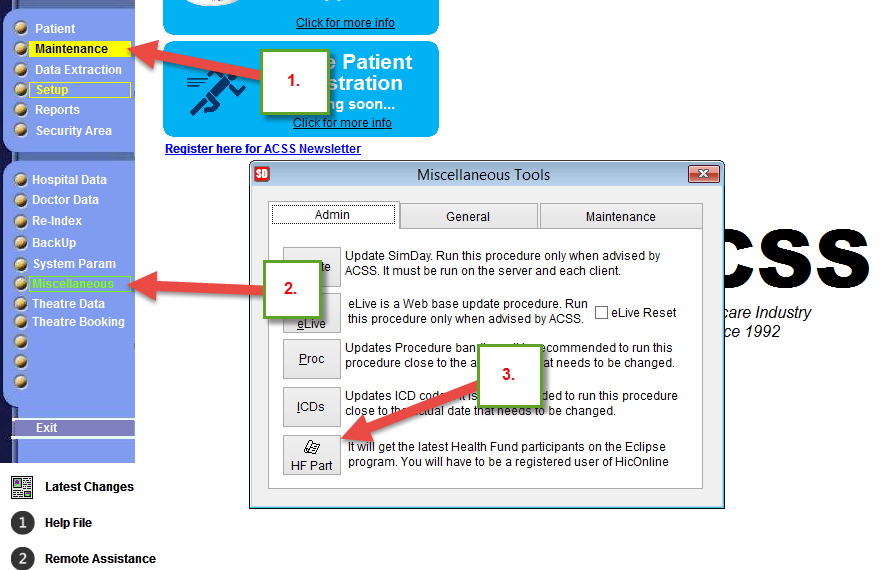
To refresh the list:
- Click on Maintenance in the main menu
- Click on Miscellaneous in the sub menu
- Click on the HF Part button
The function takes only around 5 seconds, but it doesn’t acknowledge that it’s complete. If you can exit the screen (esc key or click on ‘X’ in top right corner), you know that it’s complete.
If you get an error, that means that there is another user performing tasks that locking the list from being updated. In this case ask all users to stop what they are doing or try again later.
Please click image below: