

How to add a doctor and anaesthetist to a theatre
SimDay has two booking systems that can be used. For more information refer to SimDay booking systems.
If you are using the new scheduler its necessary to add the doctor and anaesthetist to the theatre before booking a patient to the theatre.
Go to the main menu and click Maintenance and Theatre Booking.
Theatre Booking
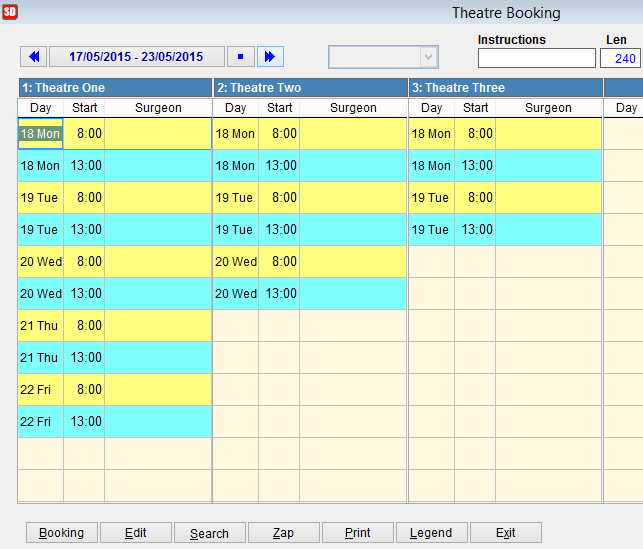
Theatre booking shows the theatres for the selected date range listed in the top left of the screen.
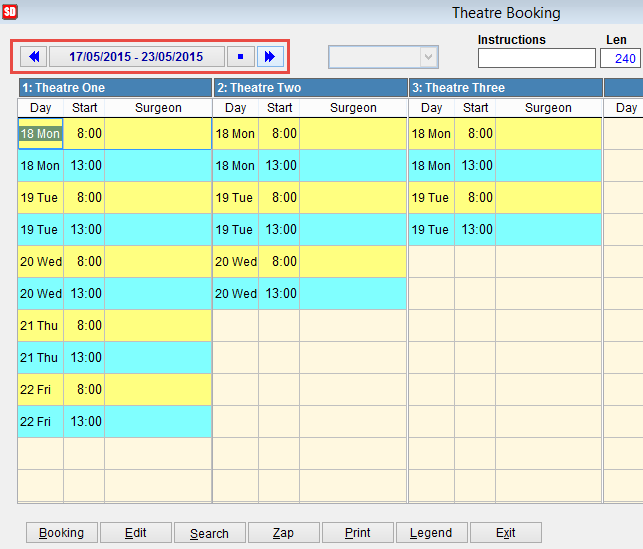
Click on the arrow icons to move forward or back in the calendar by one week.

Click on this icon to return to the current week 
or click on the date to open a calendar.
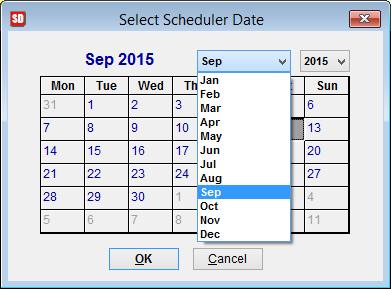
Click on the date to select a particular day and click on the drop down arrows next to month or year to select the date you are looking for.
Select a session in the Theatre Booking screen so that it is highlighted.
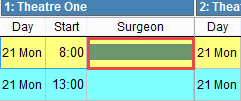
Click the Booking button at the bottom of the screen and the Bookings screen will appear.
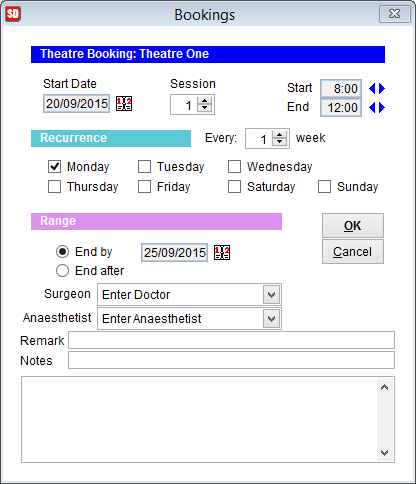
If setting a doctor for a non-standard day the day should still be selected in Recurrance (IE Monday). As long as the End by date is before the following Monday only one entry to the Theatre Bookings screen will be made.
The bookings screen can be used to add or modify the doctors and anaesthetists for each theatre.
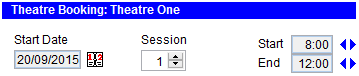
Start Date is automatically filled based on the date previously selected. Click on the icon next to the date to open a calendar and select another date if required.
Session refers to the session number. Generally Session 1 is used for mornings and session 2 for afternoon.
To modify the session times click on the arrow icons next to Start and End.
Recurrence
Recurrence is used to book the doctor and anaesthetist for multiple days.
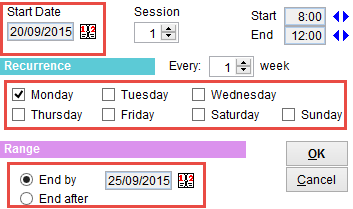
Select the Start Date at the top left corner of the screen.
Enter Start and End times.
Select the days of the week to book. A tick should be placed next to each day that you wish to select.
Range
End by is used to select the finish date.
End after is used to select the number of occurrences.
Surgeon and Anaesthetist can be selected from the drop down boxes.
Remark and Notes that are added here will be visible in the Theatre Booking screen.
Click OK to save and Cancel to discard changes and return to the previous screen.