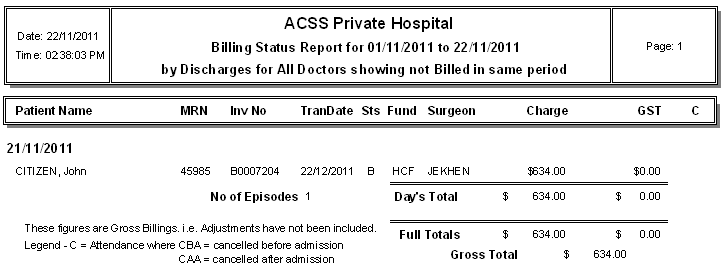
Billing Status Report
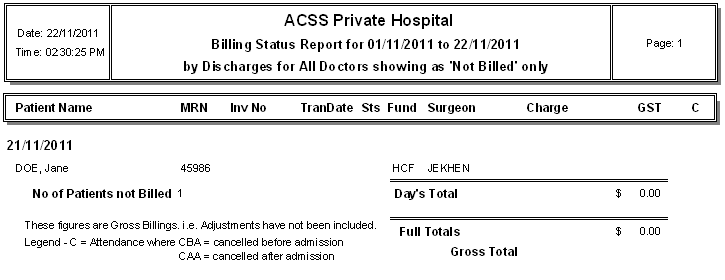
The Billing Status report is helpful in showing which episodes have not been billed or not billed in the same accounting period for a particular date range.
Go to the main menu.
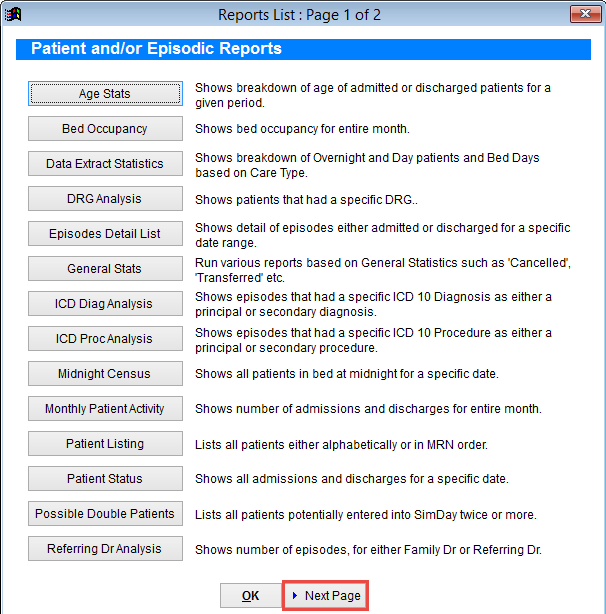
Click Reports and then More Reports to open the Reports List.
Click Next Page at the bottom of the screen.
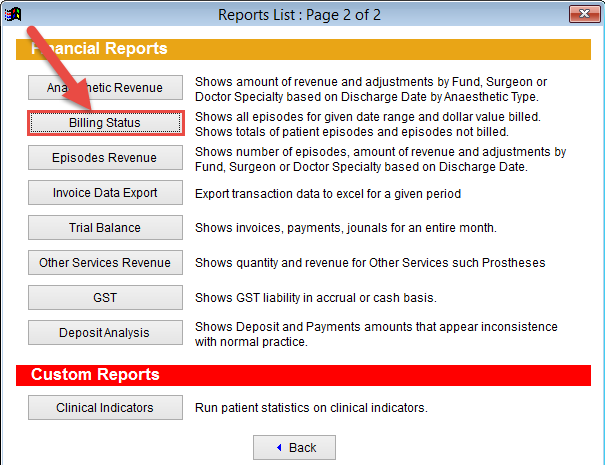
Click Billing Status.
The Billing Status Report screen is used to set the parameters of the report to be created.
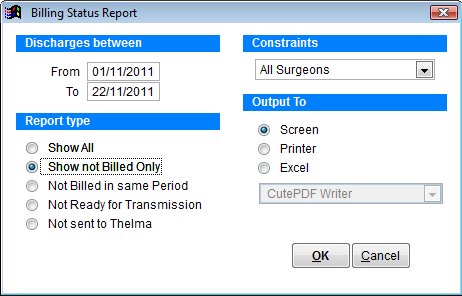
Discharges between Enter the discharge date range.
Report Type Select which report type you would like to view. Not Ready for Transmission and Not sent to Thelma are both for facilities sending claims through Thelma which has now been replaced by eclipse.
Constraints Is used to select a particular doctor from the drop down box or leave on all surgeons.
Output To to view the report on the Screen, print to Printer or create an Excel file. The excel file will be saved in the tmp folder which is in the SimDay directory of your computer. Typically the path would be C:\Simday\tmp
Not Billed Only Report
Not Billed in Same Period