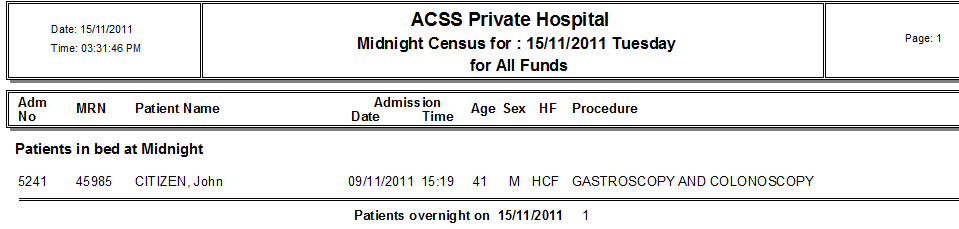
Midnight Census Report
The Midnight Census Report is useful for overnight facilities and will show all patients that are in the hospital at midnight.
Click on Reports in the main menu, and then More reports in the sub menu which will open a list of various statistical reports
Click on the Midnight Census button.
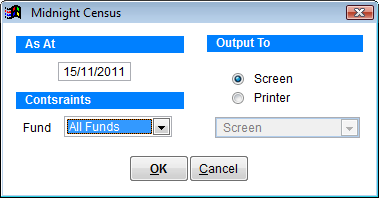
As At Specify the report date
Constraints Click the drop down box and select a particular health fund or leave it on ‘All Funds’
Output To Screen to view on the monitor or printer to print the report. If you select printer the drop down box below becomes active and you can select any printer from the list.
Click OK to create the report or Cancel to discard changes and return to the previous screen.