

Closing / Locking of Account Periods
Account Close Date – This feature is used to lock in all financial transactions so they cannot be modified. This is to maintain the integrity of revenue figures produced for any particular account period. No invoices can be adjusted that have an account period date before the date entered into this field. Invoices that require adjusting but have been locked in will need to be adjusted using the Journals function in SimDay (see Journals guide).
To lock financial transactions go to the main menu.
Click Maintenance and System Param from the menu on the left side of the screen.
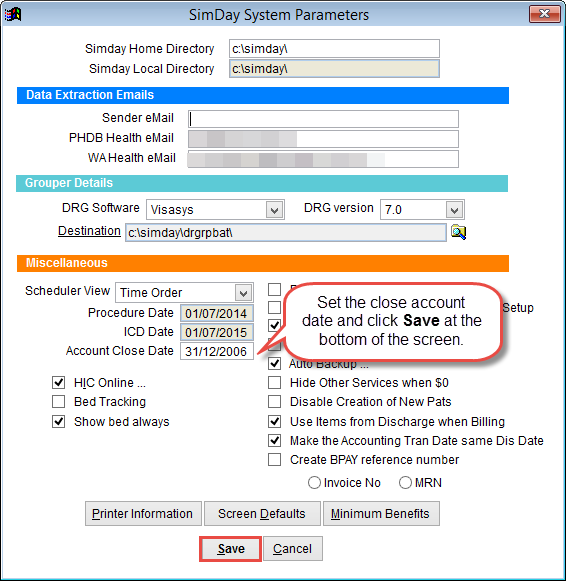
Select Account Close Date in the centre left of the screen under Miscellaneous and enter the date. SimDay will not allow financial records from this date back to be modified.