

PHDB Data Extraction
PHDB stands for Private Hospital Data Bureau. This is the Federal Department of Health & Ageing and it is mandatory to submit monthly episode information to them. Extracts are typically done half way through the next month.
Confirm the PHDB email address has been entered to SimDay.
Click on Maintenance and then System Param from the main menu.
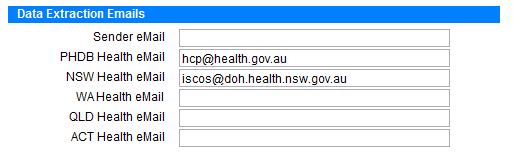
Enter the email address in the field next to PHDB Health eMail.
Make sure Microsoft Outlook is open before doing the following steps. If you don’t use Microsoft Outlook, then add your email address next to the Sender eMail field (shown above). If Outlook is older than 2003 edition it will be necessary to add the email address in the Sender eMail field.
Click on Data Extraction in the main menu, then PHDB in the sub menu which opens the following
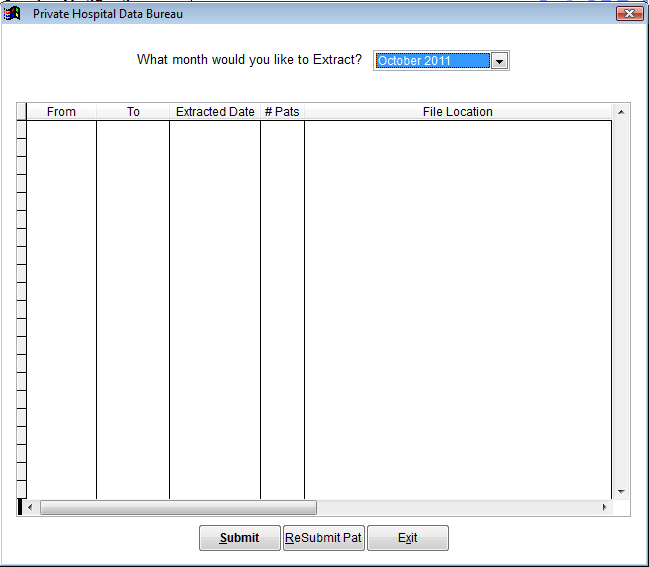
The table will show a history of data extractions that have been done. Refer back to this screen to double check what month needs to be extracted.
- What month would you like to extract? Click on the drop down box and select the month to extract.
- Click Submit at the bottom of the screen. A warning message will appear reminding you to open Microsoft Outlook if it isn’t already open. Click OK to continue.
- The following screen will appear showing any errors that need to be fixed before the extraction can proceed. It will show which patient to fix, where and what to fix.
To print a list of errors click Error Report at the bottom of the screen.
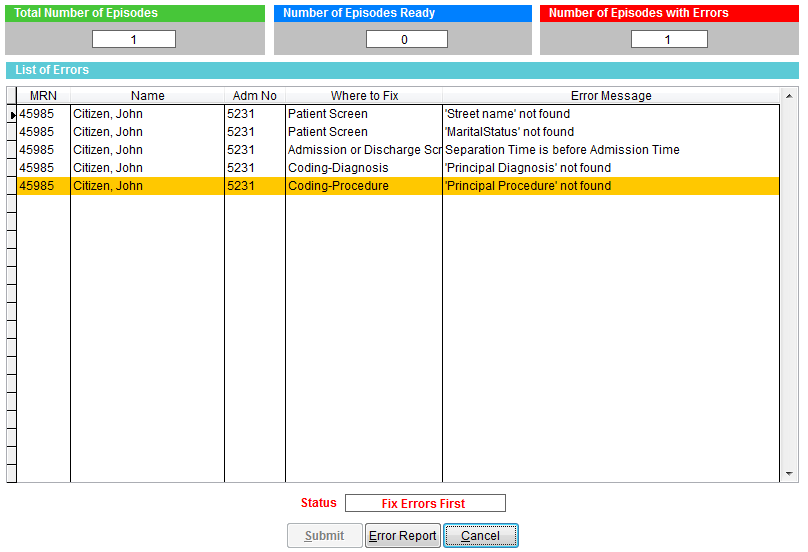
Fix the errors in question and then repeat steps 1-3 above.
When there are no errors listed click on Submit. This will open an email with the data extract file attached and the email address set up in step 1.
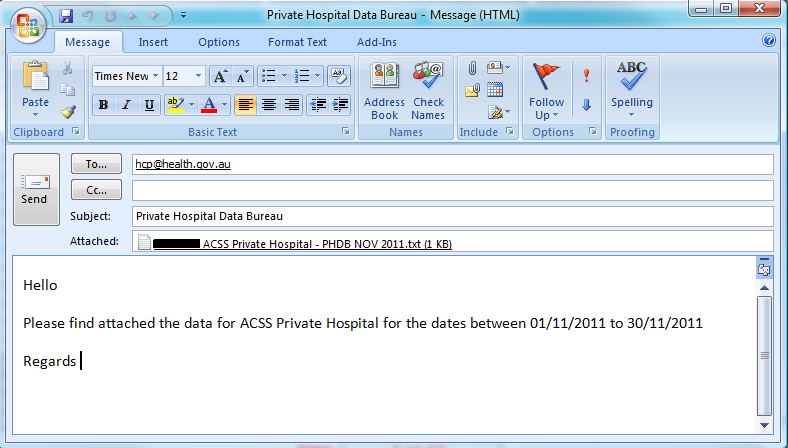
The email is ready to send. Add your contact details to the email if you wish and click Send to send the email.
Important If you aren’t using Microsoft Outlook 2003 or newer, an email will automatically be sent. You will not see an attachment like above.
SimDay will ask if you want to print a report of extracted patients for your records. Click Yes or No.