

Third Party List Set Up
Before billing a third party for a claim it’s necessary set up the details of that third party including Insurance Companies, Employers, Private Third Parties or Solicitors.
The Third Party details can be created on the fly when booking a patient in (see the Booking a Patient guide). It’s not necessary to go into the Third Party List set up before hand. This is only if you want to add any third party details without booking a patient in.
Click on Setup in the main menu, and then Third Party List in the sub menu to open up a list of previously created Third Parties.
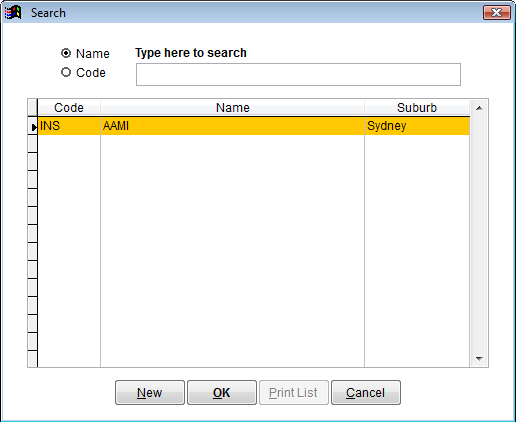
You can search for a name or code by selecting the appropriate radio button and searching with the search box. You can also use the vertical scroll bar on the right to scroll through the list.
To view a third party, double click on the name or click once and then click on OK.
Click New to create a new third party.
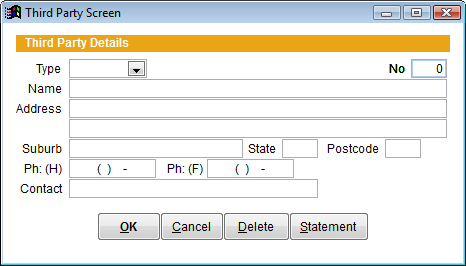
Type– Click the drop down box to select the type of third party.
INS Insurance
EMP Employer
SOL Solicitor &
PRV Private
Complete the rest of the details of the third party and then click on OK to save changes.