

How to add MBS Items
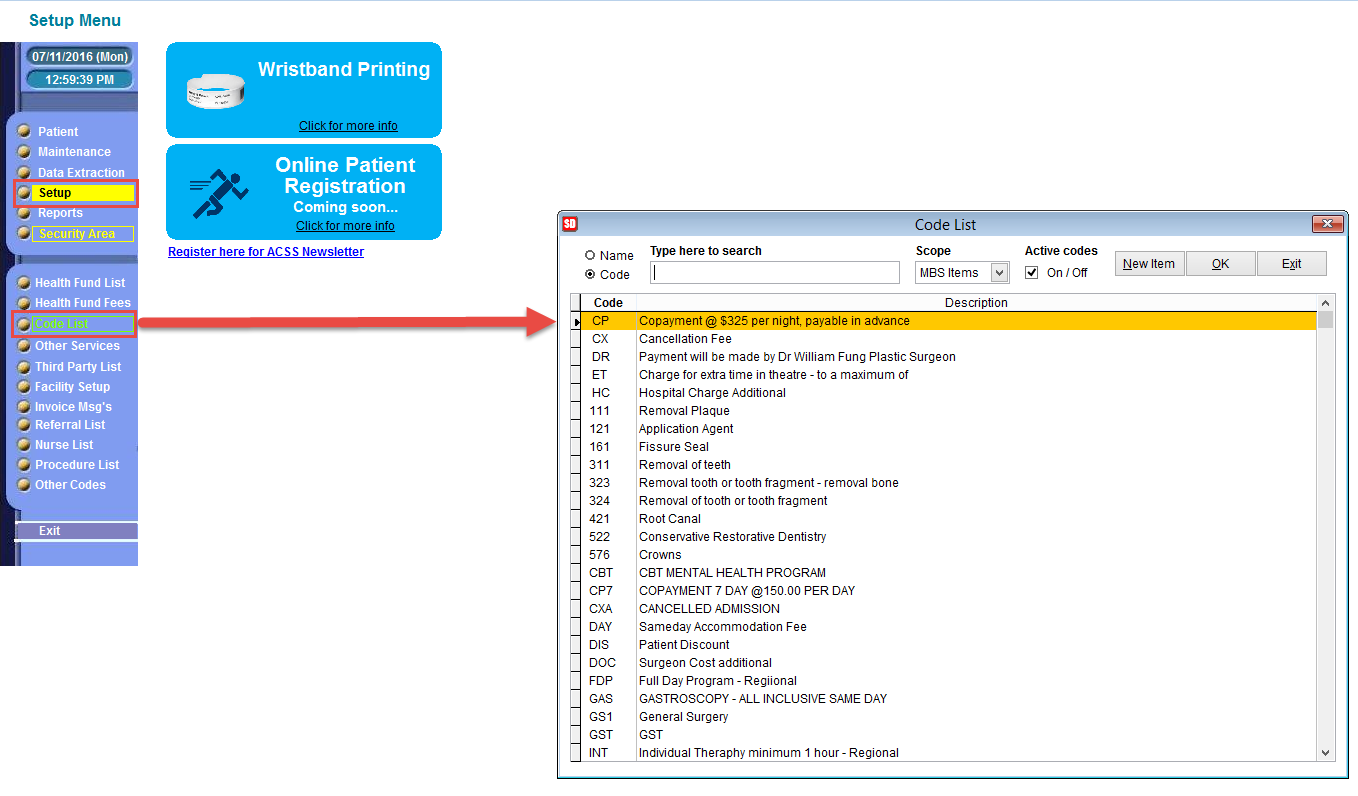
- Click on Setup and then click on Code List.
- Select the button New Item and type in the MBS item number in the Code field:
- Once the number has been entered, then enter the description of the item, you can get the full description from the MBS website.
- Then set the following (you will need to consult with the National Procedure banding Committee for this information):
- Finally click Ok and you’re done.
You will see a small window named Code List show up:
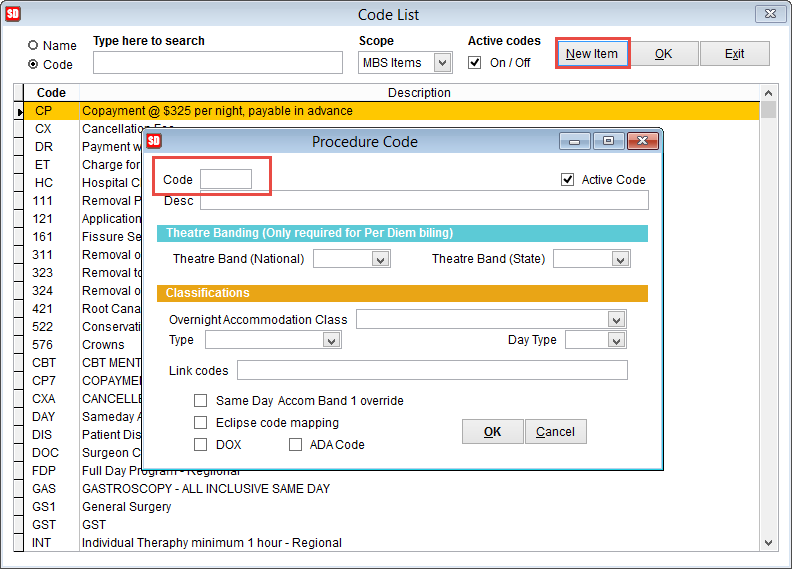
– Theatre band (national)
– Theatre band (state)
– Overnight Accommodation Class (if applicable)
– Day Type e.g. Type C procedure
– Theatre band (state)
– Overnight Accommodation Class (if applicable)
– Day Type e.g. Type C procedure
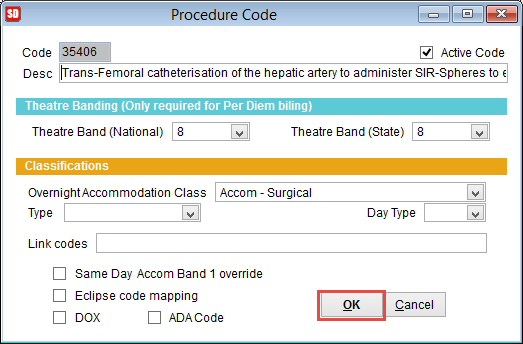
Now you will be able to use that item in invoices/billings.