

How to Edit the Banding for an Item
1. Click on Setup and then click on Code List.
You will see a small window named Code List show up:
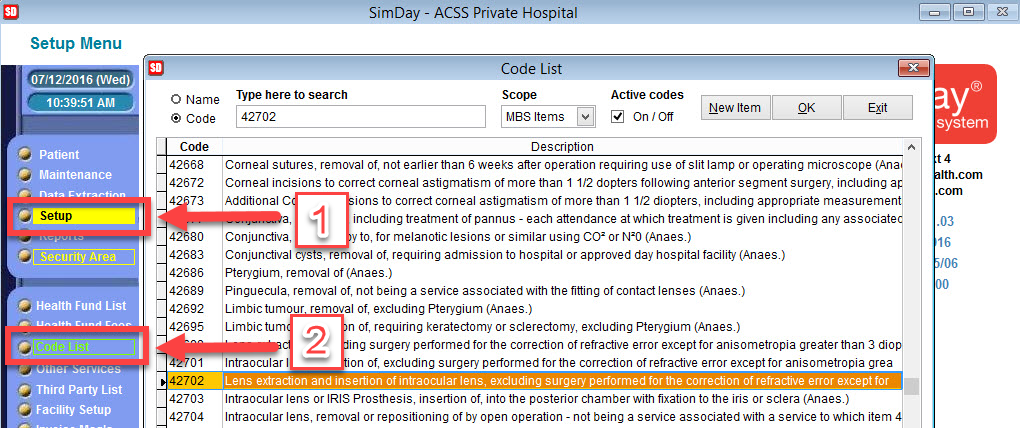
2. Search for the item you want to edit the banding, type it in search box.
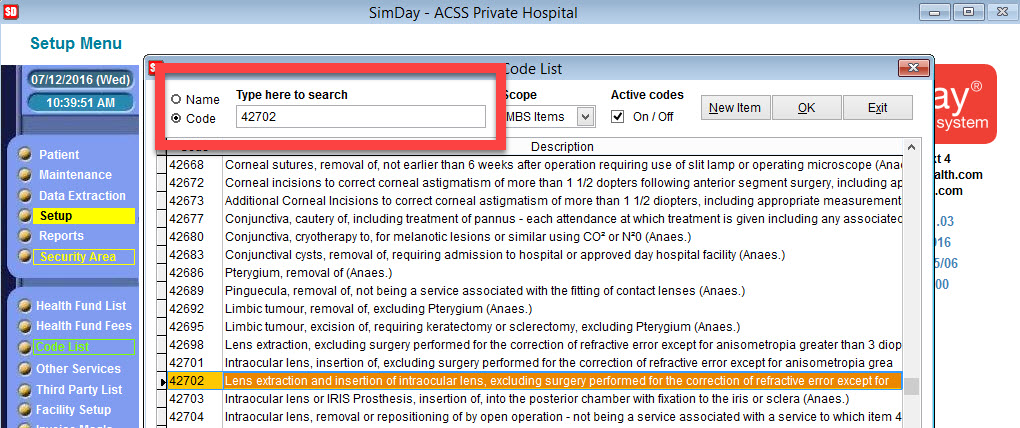
3. Once you have found the item in the list, click on OK
4. From here you can Edit the banding, we have two options, depending if you are using the National or State banding.
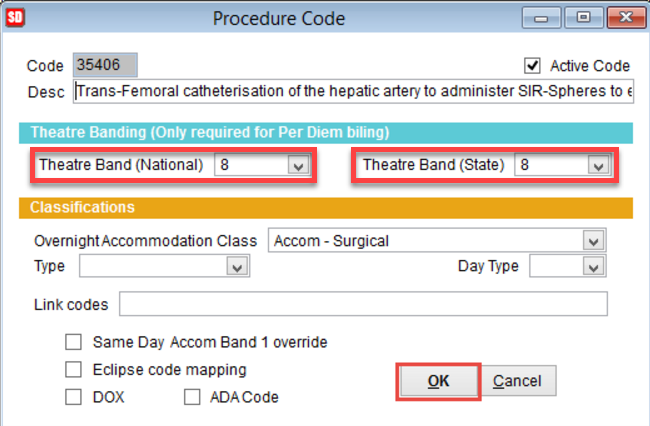
5. Click OK to Save.