How to Perform an IHC Extraction
(Submitting ECLIPSE Claims)
This task is to be performed after the invoices have been billed and coded.
1. Select “Data Extraction” then “IHC Extract”
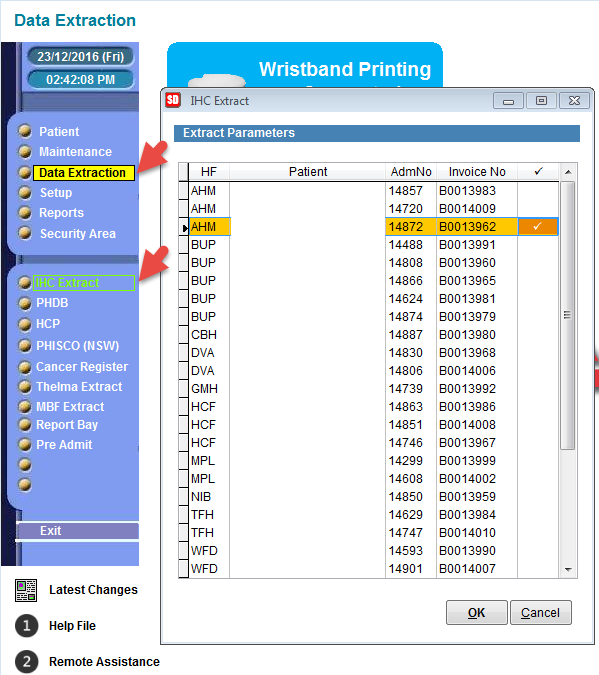
2. By default, the invoices that are ready to transmit will have a “tick” as an indicator. Select OK.
This function performs a validation and checks for various things, such as bandings and dates as well as diagnosis and procedure codes (when applicable).
Once the claim is processed, it will be sent into the Comms Centre.
3. Select “Patient” from the Menu and then “Comms Centre” then Select “OK” 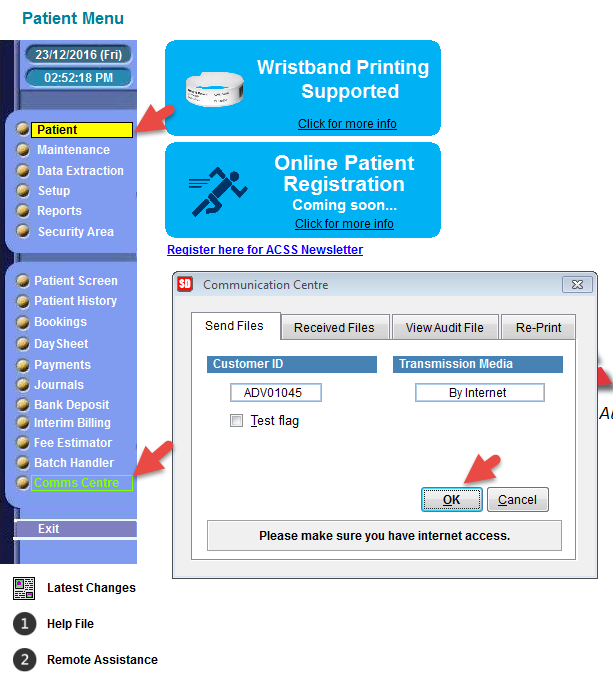
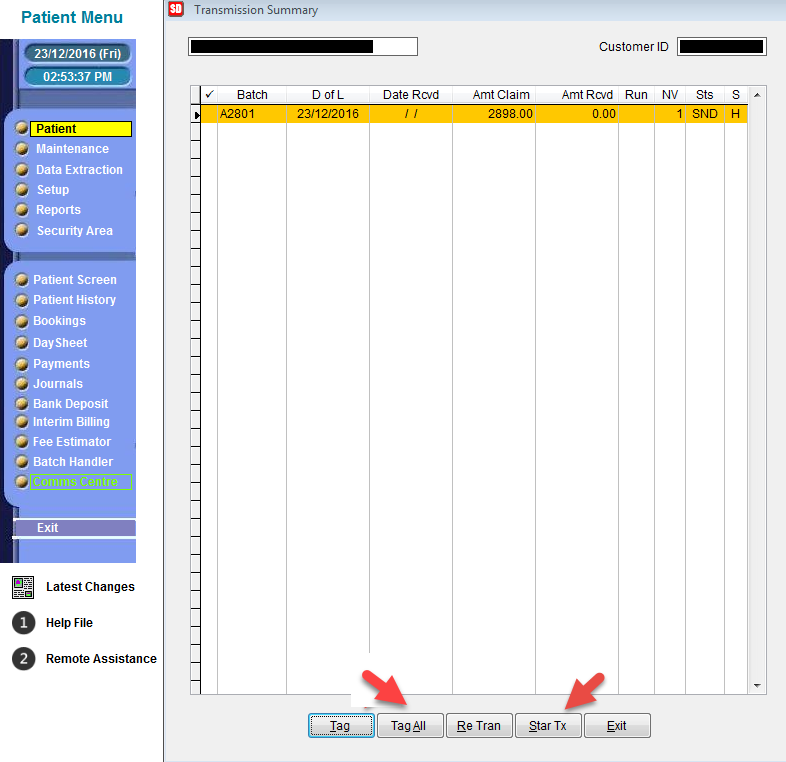
4. The charge that you extracted is now found within a batch number.
You must select “Tag All” Finally, select “Star TX”