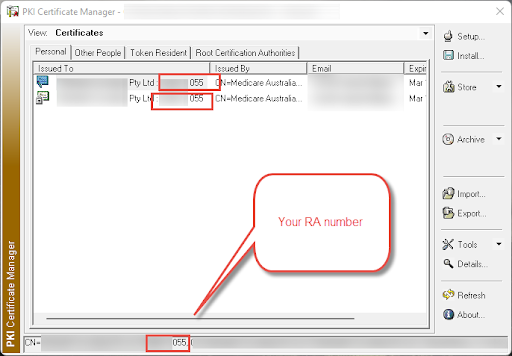
Finding your Medicare RA number
Need your RA number for the site certificate used by your SimDay? Follow the guide to learn how.
- First, navigate to maintenance > System Param > HIC ONLINE
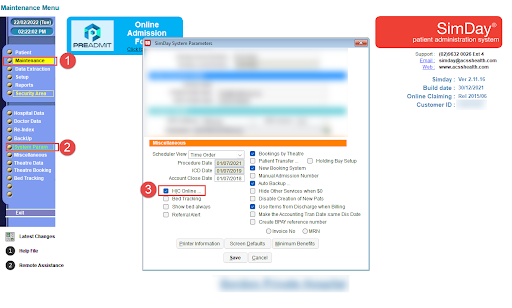
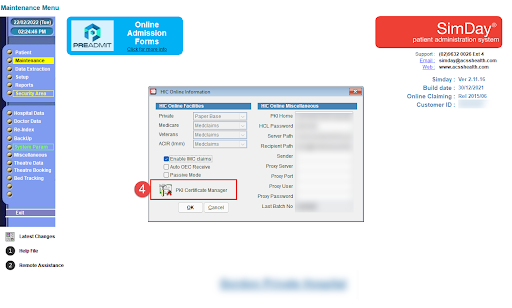
- Then, click on the PKI Certificate Manager
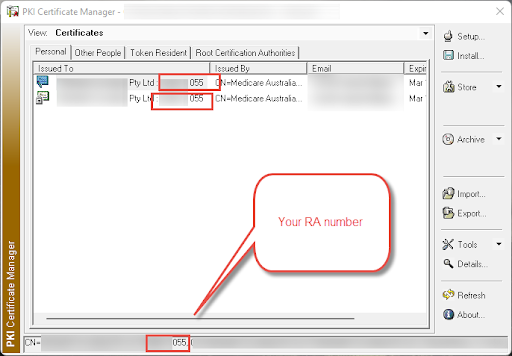
- Click on the Certificate and view your RA number
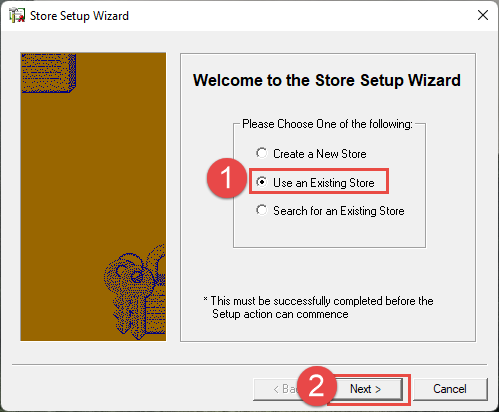
If you do not see your site certificate here: - Select Use an Existing Store > Next
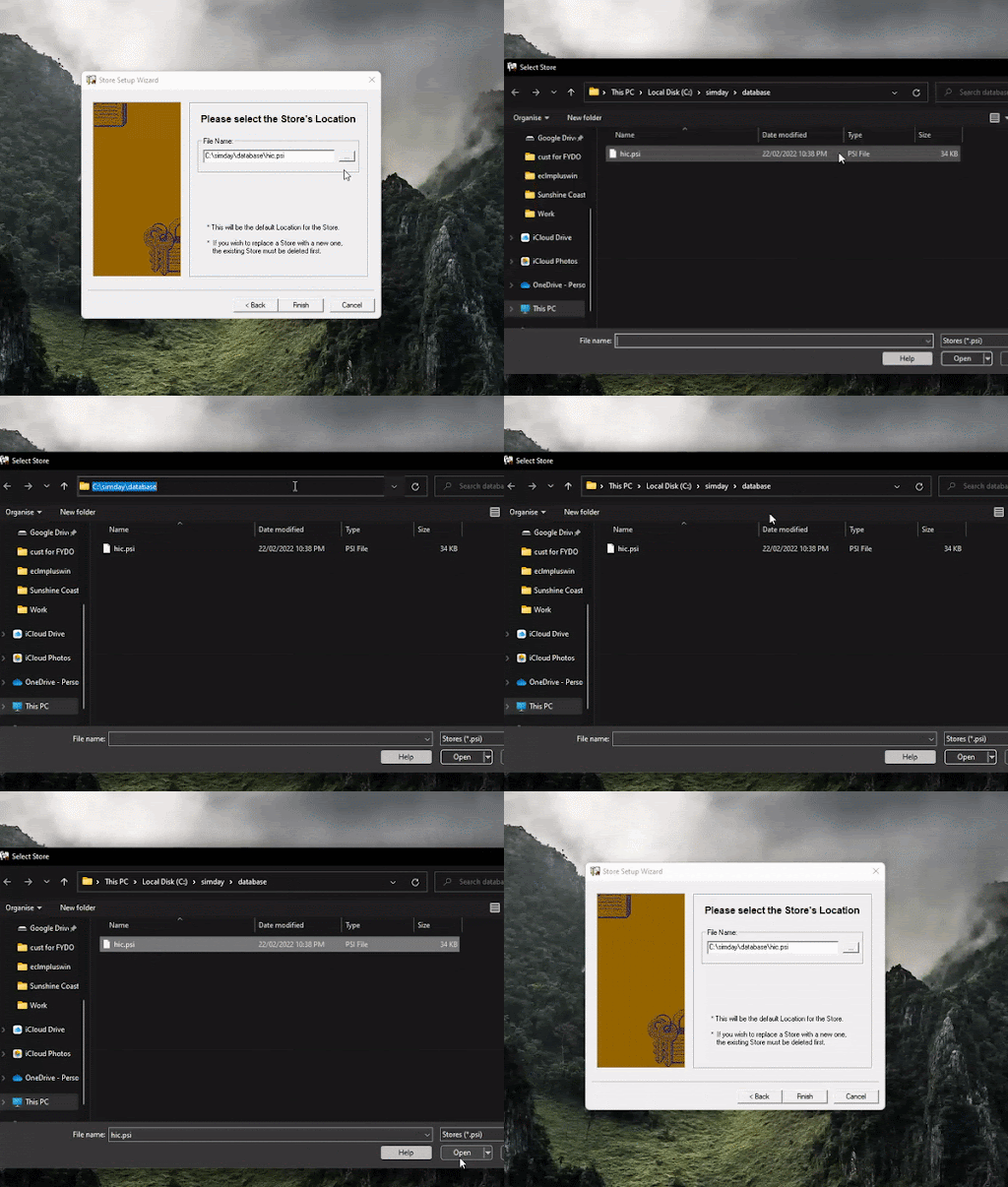
- Then click on the ‘…’ button and enter the SimDay server database folder path
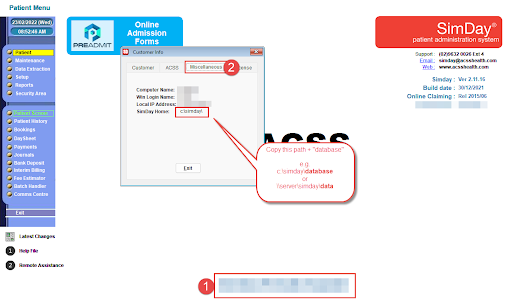
You can get this path by clicking on your organisation’s name on the bottom right corner of SimDay > Miscellaneous
Once you have this path, enter it into the PKI certificate manager and open the Hic.psi
- You should now see your site certificate and RA number: