

Procedure List Set Up
When a patient is booked its possible to add notes regarding the procedure that are displayed in the booking screen and transposed into the Theatre Lists/ Admissions List for the day. Frequently used notes can be added though the Procedure List screen that are then available in the Proc Notes drop down field when making a booking.
Go to the main menu and click Setup and Procedure List from the left side of the screen.
A list of current procedure notes are displayed.
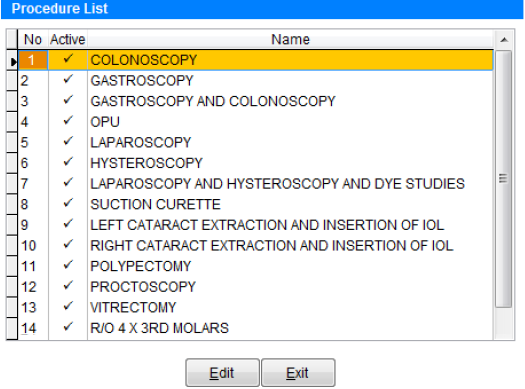
Click Edit to create a new procedure.

Double click in the first available Active box to put a tick in that field.
Click in the Name field next to the tick and enter the procedure name.
When finished creating all procedures click Save to add the procedure to the database or Cancel to discard changes and return to the previous screen.
To modify an existing procedure click on an entry and click Edit.
Editing or deleting a procedure description from this list will not impact episodes already labelled with that procedure type.
Un-ticking the Active box next to a procedure will remove it from the list of available procedures in the appointment screen.